Collection: Multisystems
-
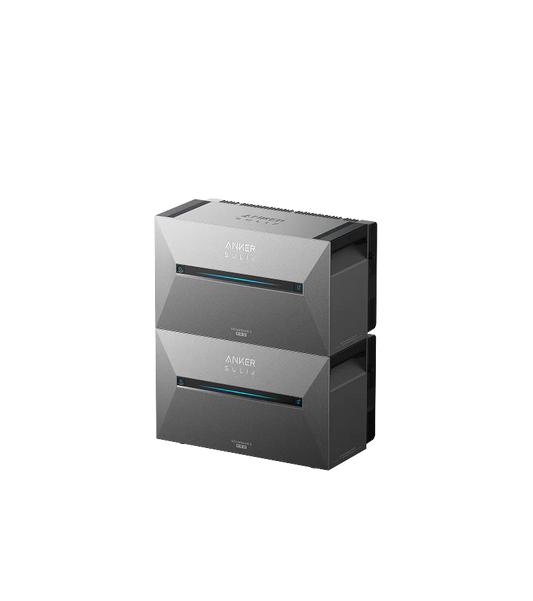
Anker Solix home battery | 3x Solarbank 3 Pro + 3x BP2700 Expansion battery, 16.2 kWh storage + Powerdock + 22 kW EV charger
Regular price From €7.799,00 EURRegular priceSale price From €7.799,00 EUR -
Anker Solix home battery | 3x Solarbank 3 Pro, 8.1 kWh storage + Powerdock + 22 kW EV charger
Regular price From €5.149,00 EURRegular priceSale price From €5.149,00 EUR -
Anker Solix home battery | 2x Solarbank 3 Pro + 2x BP2700 Expansion battery, 10.8 kWh storage + Powerdock + 11 kW EV charger
Regular price From €5.499,00 EURRegular priceSale price From €5.499,00 EUR -
Anker Solix home battery | 2x Solarbank 3 Pro, 5.4 kWh storage + Powerdock + 11 kW EV charger
Regular price From €3.699,00 EURRegular priceSale price From €3.699,00 EUR -
Anker Solix home battery | 3x Solarbank 3 Pro + 3x Expansion battery, 16.2 kWh storage + Powerdock
Regular price From €7.295,00 EURRegular priceSale price From €7.295,00 EUR -
Anker Solix home battery | 3x Solarbank 3 Pro, 8.1 kWh storage + Powerdock
Regular price From €4.595,00 EURRegular priceSale price From €4.595,00 EUR -
Anker Solix home battery | 2x Solarbank 3 Pro + 2x Expansion battery, 10.8 kWh storage + Powerdock
Regular price From €4.995,00 EURRegular priceSale price From €4.995,00 EUR -
Anker Solix home battery | 2x Solarbank 3 Pro, 5.4 kWh storage + Powerdock
Regular price From €3.195,00 EURRegular priceSale price From €3.195,00 EUR
Frequently Asked Questions
How do I get a maximum AC power of 3600 W from the Solarbank 3 E2700 Pro?
You can connect up to three Solarbank 3 E2700 Pro units within one home energy system to provide a maximum AC power of 3600 W.
Want a higher total output? Then you can use the Power Dock . It supports parallel connection of up to four Solarbank units , good for a total output of up to 4800 W. The Power Dock also allows you to connect an EV charger .
Please note: The installation of the Power Dock must be carried out by a certified electrician.
Which Solarbank models support connecting and using multiple devices within the same home energy system?
Currently , only the Solarbank 3 E2700 Pro is suitable for directly connecting and using multiple units within one home energy system.
The other Solarbank models do not offer this plug and play functionality, but can be connected in parallel via the Power Dock .
Please note: The Solarbank 2 E1600 AC is expected to receive Power Dock support at the end of December.
What are the differences between using multiple Solarbank 3 E2700 Pro units in plug-and-play mode and via the Power Dock?
The main differences are:
- Number of units supported
Plug-and-play: maximum 3 Solarbank 3 E2700 Pro units.
Power Dock: maximum 4 units connected in parallel. - Maximum output power
Plug and play: up to 3600 W total power.
Power Dock: up to 4800 W total power. - Installation requirements
Plug and play: connect immediately, no professional required.
Power Dock: Must be installed by a certified electrician . - EV charging
Plug and play: Does not support EV charging stations.
Power Dock: Supports single-phase and three-phase EV chargers. - Energy management
Plug and play: standard power management.
Power Dock: Three-phase output and unified energy management for the entire system. - Compatibility
Plug and play: Solarbank 3 E2700 Pro only.
Power Dock: Supports mixed Solarbank models and is future-proof for new products. - Meter connection
Plug and play: compatible with P1 Meter access.
Power Dock: Works with Anker Smart Meter , Shelly 3EM or Shelly Pro 3EM .
What do I need to do to use multiple Solarbank 3 E2700 Pro units in a plug-and-play setup?
Please note the following:
- Update the Anker app
To properly configure multiple units, make sure your Anker app is updated to version 3.12.0 or later . - Registration with grid operator
Register your system (if applicable) with the local grid operator and relevant authorities so that the installation complies with all regulations and can be safely put into operation. - Setting the output power
When using multiple Solarbank 3 E2700 Pro units, you can set the total output power to 800 W, 1200 W, 2400 W, or 3600 W.
If the set power exceeds 800 W , professional installation is strongly recommended . This prevents safety risks, potential equipment damage, and regulatory issues.
How do I add multiple Solarbank 3 E2700 Pro units to a home energy system in the Anker app?
Expand existing energy system
If you want to add one or more Solarbank 3 E2700 Pro units to an existing home energy system, follow these steps:
- Open the energy system homepage in the Anker app.
- Tap the gear icon at the top right to access settings.
- Select 'Manage Devices' .
- Tap the '+' icon at the top right to add additional devices (e.g. Solarbank 3, smart meters or smart sockets).
- Make sure that all devices within the same system are connected to the same WiFi network .
Setting up a new home energy system
- Installing the Solarbank 3 E2700 Pro for the first time? Follow these steps:
Connect one Solarbank 3 E2700 Pro and add it via Bluetooth to the device page.
Press the IoT button on the Solarbank to confirm the Bluetooth pairing. - Set up the WiFi connection .
- Add additional devices (e.g. Solarbank 3 units, smart meters or smart plugs) and ensure they are connected to the same Wi-Fi network .
- Update the firmware to the latest version.
- Set the desired operating mode , such as AI mode, self-consumption, or custom mode.
How do I set the maximum total grid power for Solarbank via the Anker app?
First, make sure all Solarbank units are connected to the same power system . Then follow these steps:
- Open the energy system homepage and tap the gear icon at the top right.
- Go to 'Grid-tied AC settings' .
- Tap 'Max. total power' at the top right.
- Select the desired output power and choose 'Save' .
- If you select a value above 800 W , a safety message will appear. Confirm this to apply the setting.